Interactive timeline maker
Make an interactive timeline you can zoom like a map
One time axis runs from billions of years ago down to a single minute. More events appear as you zoom in, and parallel lanes show what happened at the same time. Share the timeline by link, embed it in a page, or present it as a tour.
No account needed to start. Timelines are stored in your browser until you sign in.
Live example · The Race to the Moon, 1957 to 1975
Play the tour, or click the timeline, then scroll or pinch to zoom and drag to pan. Zoom into July 1969 to follow the Apollo 11 landing minute by minute, and click any event to read it and see its sources.
01 · Zoom
More events appear as you zoom in
An event can contain other events. When an event is wide enough on screen, it opens to show the events inside it. When a lane is crowded, less important events shrink to small markers until you zoom closer.
Readers see the whole story first, then go as deep as they want. A timeline of the space race can still show the minute the Apollo 11 lander touched down.
The example zooms by itself while it is on screen. Click or tap the timeline to stop it, then scroll or pinch to zoom and drag to pan.
If a timeline has a long empty stretch, you can turn on a gap cut. It shortens the stretch and marks the cut, so readers know time was skipped.
02 · Lanes
Parallel stories in lanes
Each lane is a row with its own name and colour, on one shared time axis. Put one country, person or storyline in each lane, and you can see what happened in each at the same moment.
Readers can hide the lanes they don’t need. Writers of fiction can also number years in their own era, such as BBY and ABY.
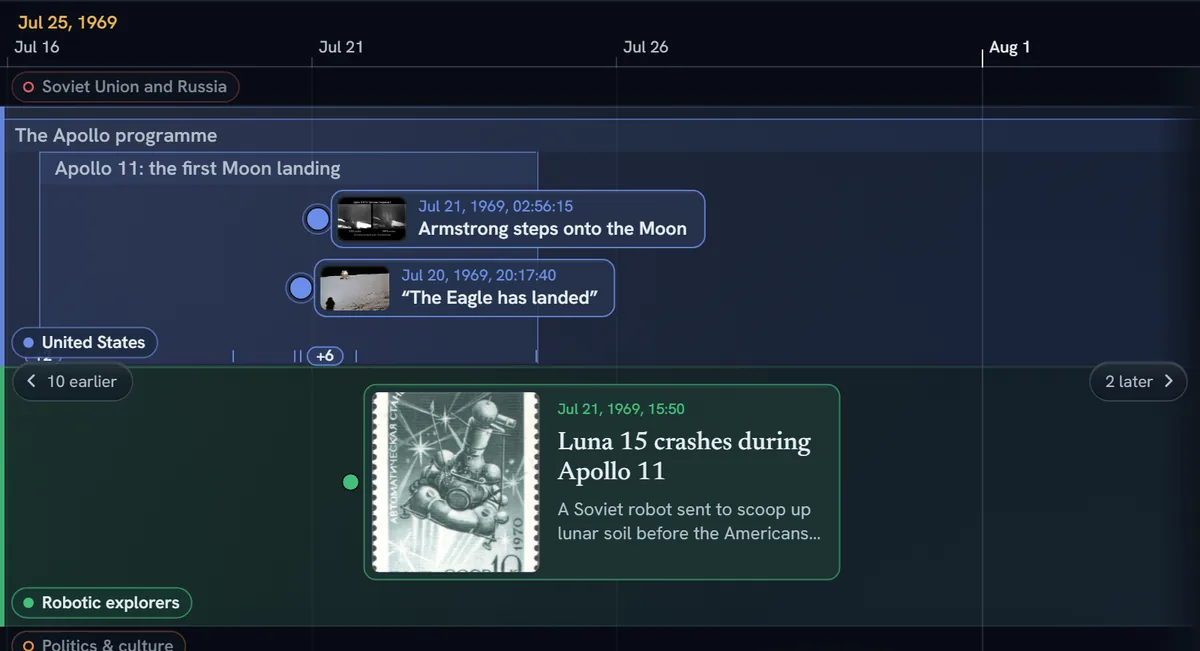
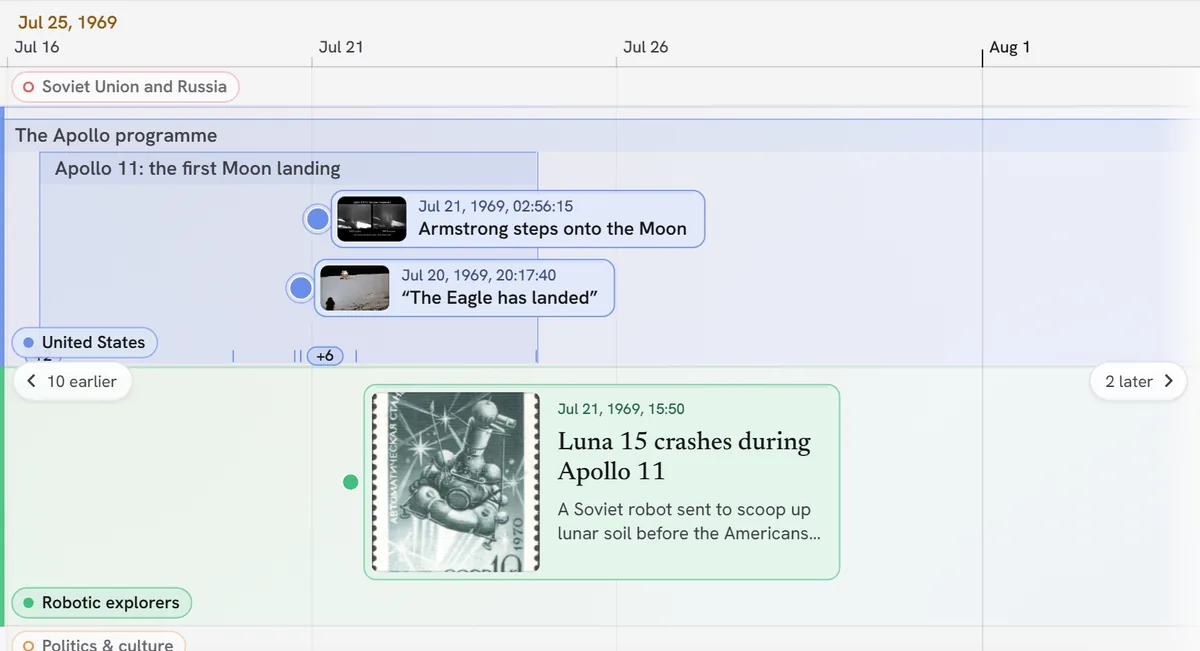
July 1969 in the example, with two of its four lanes showing. The Soviet probe Luna 15 crashes on the Moon on July 21, while Armstrong and Aldrin are still on the surface.
03 · Publish
Share it, embed it or present it
Readers explore the timeline themselves instead of looking at a picture of it. Every timeline is private until you share it.
Share link
Anyone with the link can open the timeline, zoom through it and read every event.
Embed
Paste the embed code into any page that accepts an iframe. Edit the timeline once and every embed shows the change the next time it loads.
Tour
Choose the events to stop at and write a caption for each. Present the tour in a class or a meeting. With Creator or Pro you can record it as a video.
Export
Download a PNG image, a PDF poster in Letter, A4, Tabloid or A3, or a CSV of every event.
Embed code
<iframe src="https://www.timelinetraveler.com/embed/…" width="100%" height="560"
  style="border:0;border-radius:12px" allowfullscreen
  title="The Race to the Moon"></iframe>
04 · Start
Four ways to start
- 1Start from a blank timelineOpen the editor and add events. You do not need an account to begin.
- 2Import a CSVThe editor matches columns by name, so an existing spreadsheet or TimelineJS sheet comes across.
- 3Ask for an AI draftDescribe a subject and review the proposed events. Only the ones you accept are added.
- 4Copy a published timelineOpen any timeline in the gallery and use it as a template for your own.
05 · Sources
Sources on every event
Each event can list its sources: a link, a title and a quote. Readers see them when they open the event. With Pro you can export every source as a CSV or a bibliography.
July 20, 1969 · 20:17:40 UTC
“The Eagle has landed”
Armstrong steers past a boulder-strewn crater and sets Eagle down in the Sea of Tranquility with little fuel left.
Sources
- Wikipedia: Apollo 11
- Wikipedia: Tranquility Base
You can have events from an AI draft marked AI draft · unverified until someone checks them.
06 · Details
Also in the editor
Co-editors
Invite someone with a link. You see who else has the timeline open, and edits to different fields are combined.
Pictures, video and maps
Upload pictures, or attach images, YouTube videos, maps and links to any event.
Search and tags
Readers can search a timeline and filter it by tag.
Custom eras
For fiction, number years in your own era, such as BBY and ABY. Eras use whole years.
Phones and list view
Pinch to zoom and drag to pan on a phone. The list view shows every event in order.
Light and dark
The site follows your system setting, and you can switch it. With Creator or Pro you can set an embed to light or dark.
Use cases
Who it’s for
People whose work is explaining what happened and when.
Writers and worldbuilders
Keep a story’s chronology straight with a lane for each character, and number years in your own era, such as BBY and ABY.
How it works for writersJournalists and explainers
Embed a timeline in an article, with a lane for each person and sources on every event. Edits appear in the embed on its next load.
How it works for journalistsResearchers and investigators
Put events known to the minute next to events known only to the year, and, with Pro, export every source as a bibliography.
How it works for researchersTeachers
Show geologic time and the hours of a single day on the same timeline, then walk a class through it as a tour.
How it works for teachersVideo creators
Pick the events to stop at, write a caption for each, and, with Creator or Pro, record the tour as a video for your channel.
How it works for video creatorsFamily historians, organizations and anyone else with a history to explain use the same editor. Use a lane for each person or branch.
Gallery
Timelines to explore
Each one has sources on every event. Open one to zoom through it, or copy it as a template.
Geologic Time Scale: Earth's 4.6-Billion-Year History
An interactive geologic time scale, from Earth's formation 4.54 billion years ago to today, with eons, eras, periods and epochs dated to the current International Chronostratigraphic Chart. Zoom in to see each unit open into the next, alongside the history of life, climate, the five mass extinctions and human origins.102 eventsWorld War II Timeline: 1939–1945, Every Front Side by Side
World War II from the invasion of Poland to Japan's surrender, with Europe, the Eastern Front, the Pacific, North Africa, the Holocaust and the home fronts in parallel lanes, plus the lead-up from 1931 and the postwar trials. Zoom in on Pearl Harbor, D-Day and Hiroshima to see them minute by minute.128 eventsTitanic Sinking Timeline: The Last 2 Hours 40 Minutes
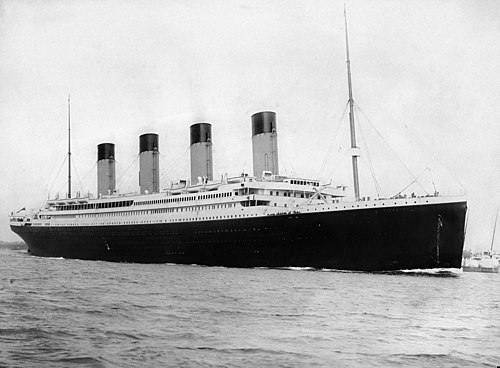
The sinking of RMS Titanic on April 14 to 15, 1912, minute by minute: the bridge, the wireless room, every lifeboat, Carpathia and Californian side by side, from the iceberg sighting at 11:40 pm to Carpathia taking aboard the last boat at about 8:30 am. Times are Titanic's ship's time, as used in the 1912 inquiries; Carpathia and Californian times are those ships' own clocks, as their officers testified. Zoom out for the ship's building, the inquiries and the wreck.100 eventsHistory of AI Timeline: From Turing to 2026
Artificial intelligence from the first neural network model in 1943 through the booms, the AI winters, expert systems, machine learning, deep learning and the generative AI era, with research, products, chips, public milestones and law side by side. Zoom into 2022 to 2026 for model releases, GPU generations and new rules. As of September 24, 2026.128 eventsThings That Happened at the Same Time: Surprising Overlaps in History
Thirty comparisons of events that feel eras apart but happened close together, from Cleopatra and the Moon landing to Star Wars and France’s last guillotine execution. Press play for the tour. Each stop shows the events it compares side by side, with one lane per region.62 events- All timelines in the galleryHistory, science and the news, each with sources.Open the gallery




Pricing
Free to build and share, paid for more AI and your own branding
You can build and share unlimited timelines on every plan. Paid plans add more AI credits, events built from your documents, embeds without the badge, and Pro’s tools for research.
Free
$0
- Unlimited timelines
- Share as many as you want
- 20 AI credits a month
Creator
$8 / month
- 100 AI credits a month, and Advanced AI
- Build events from documents
- No badge on embeds, and embed styling
Pro
$20 / month
- Everything in Creator
- Password links
- Export sources as a bibliography
Yearly billing costs less. Compare plans in full
Common questions
Do I need an account?
No. You can open the editor and build a timeline without one. Until you sign in, the timeline is stored only in that browser. Sign in to keep it in your account and to share or embed it.
What can I do for free?
You can build and share unlimited timelines, by link or by embed. On the free plan you also get 20 AI credits a month, one co-editor per timeline and 100 MB of picture uploads. You can export a CSV, and PNG and PDF exports carry a small “Made with Timeline Traveler” mark.
How far can I zoom?
From billions of years ago down to a single minute. Events can have a date as precise as the second. Dates with a day, hour or minute work within 200,000 years of year 0. Older events use years, thousands, millions or billions of years ago.
Can I embed a timeline in my website?
Yes. Copy the embed code from the Share dialog and paste it into any page that accepts an iframe. When you edit the timeline, every embed shows the change the next time it loads.
Can I trust the AI draft?
Treat it as a first draft. You review the proposed events before any are added, and each one lists the sources the AI gives for it. In Timeline settings you can have AI events marked unverified until you tick that you checked each one.
Can I import a spreadsheet or a TimelineJS timeline?
Yes. Import a CSV and the editor matches columns by name. TimelineJS spreadsheet columns are accepted, including separate Year, Month and Day columns, and a Group column becomes lanes.
Who can see my timelines?
Only you, until you share one. You can share it by link or embed it on another site. Search engines do not list share links. With Pro you can also require a password to open a link.
Does it work on phones?
Yes. Pinch to zoom and drag to pan. There is also a list view that shows every event in order.
Can I get my data out?
Yes. On every plan you can export every event as a CSV file, which the editor can import again.
Make your first timeline
Open the editor and add a few events, import a spreadsheet, or start from an AI draft. You can sign in later to keep and share it.
Open the editor